Your WordPress theme is the face of your online store—the first impression that can either convert visitors into customers or send them straight to your competitors. But here’s the uncomfortable truth: even if your theme looked cutting-edge when you installed it two years ago, it might now be silently sabotaging your success.
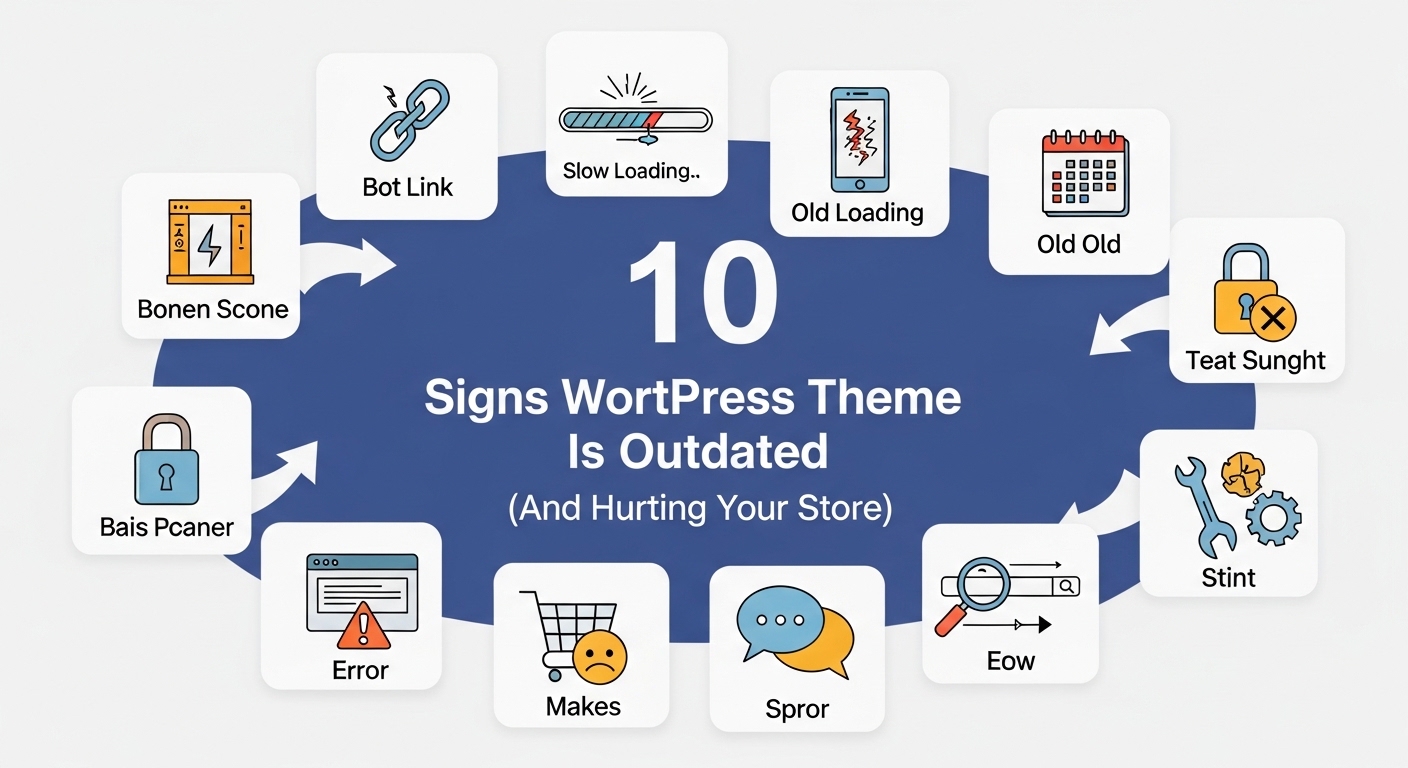
An outdated theme doesn’t just look old-fashioned; it can damage your search rankings, compromise security, frustrate customers, and ultimately cost you sales. Let’s explore the 10 telltale signs that your WordPress theme needs an urgent update—or complete replacement.
1. Your Site Loads Slower Than a Snail on Vacation
The Sign: If your homepage takes more than 3 seconds to load, you have a problem. If it takes 5+ seconds, you have a crisis.
Why It Matters: Page speed directly impacts your bottom line:
- 53% of mobile users abandon sites that take over 3 seconds to load
- A 1-second delay can reduce conversions by 7%
- Google uses page speed as a ranking factor
The Outdated Theme Connection: Older themes were often built before performance optimization became critical. They typically include:
- Bloated, inefficient code
- Too many external requests
- Unoptimized images and scripts
- Lack of modern caching compatibility
The Test: Use Google PageSpeed Insights or GTmetrix. If your theme is the primary culprit in the performance report, it’s time for a change.
2. Your Mobile Experience Feels Like Using a Website from 2010
The Sign: Text is too small to read, buttons are impossible to tap, customers have to pinch and zoom, and the mobile checkout process feels like solving a Rubik’s cube blindfolded.
Why It Matters:
- Over 60% of e-commerce traffic comes from mobile devices
- Google uses mobile-first indexing (your mobile site determines your rankings)
- Poor mobile experience = abandoned carts and lost sales
The Outdated Theme Connection: Many older themes claim to be “mobile responsive” but were designed during the early days of responsive design. They might technically resize, but they don’t provide a truly optimized mobile shopping experience.
The Test: Browse your entire store on your smartphone. If anything feels clunky, difficult to navigate, or frustrating, your theme is failing your mobile customers.
3. It Hasn’t Been Updated in Over a Year
The Sign: Check your theme’s changelog or update history. If the last update was 12+ months ago, warning bells should be ringing.
Why It Matters:
- WordPress and WooCommerce release regular updates
- Security vulnerabilities are constantly discovered and patched
- New web standards and best practices emerge regularly
- Compatibility issues multiply over time
The Outdated Theme Connection: An abandoned or rarely-updated theme is a ticking time bomb. Even if everything works today, the next WordPress or WooCommerce update could break your entire site.
The Test: Check when your theme was last updated in your WordPress dashboard or on the marketplace where you purchased it. Also look for developer activity and support responses.
4. You’re Seeing Compatibility Errors and Warnings
The Sign: Error messages appear in your WordPress dashboard, certain plugins won’t work properly, or you see PHP warnings when debug mode is enabled.
Why It Matters:
- Compatibility issues can break critical functionality
- They create security vulnerabilities
- They indicate your theme uses outdated coding standards
- Problems will only multiply as WordPress evolves
The Outdated Theme Connection: Older themes were built with older PHP versions and WordPress standards. As technology advances, these themes become increasingly incompatible with modern plugins and WordPress core.
The Test: Enable WordPress debug mode (consult your developer) or check your error logs. Frequent theme-related warnings are red flags.
5. Your Design Screams “I’m From 2015”
The Sign: Visual elements that once looked modern now look dated:
- Flash-based sliders or animations
- Overly skeuomorphic design (excessive shadows, gradients, textures)
- Cluttered layouts with too many sidebars
- Generic stock photos of business people shaking hands
- Multiple font styles and colors
- Outdated button styles and UI elements
Why It Matters:
- Design trends exist because they improve user experience
- Outdated design creates distrust (if the site looks old, is it secure?)
- Your competitors have likely updated their designs
- First impressions happen in 0.05 seconds
The Outdated Theme Connection: Design trends evolve based on usability research and changing user expectations. A theme that hasn’t been visually updated reflects outdated UX principles.
The Test: Visit your top 3 competitors’ websites. If their designs look noticeably more modern and clean, your theme is showing its age.
For guidance on choosing a modern theme that will stand the test of time, check out: Choosing the Right WordPress Theme for 2025: A Complete Buyer’s Guide
6. Customization Requires Hiring a Developer (Every Single Time)
The Sign: Want to change a color? Call a developer. Need to adjust your homepage layout? Call a developer. Want to modify your product page? You get the idea.
Why It Matters:
- E-commerce requires agility and testing
- Dependence on developers slows you down and increases costs
- You can’t quickly respond to market changes or seasonal promotions
- Modern themes offer much more flexibility
The Outdated Theme Connection: Older themes were built before the rise of page builders and visual customization tools. They rely heavily on custom coding for even minor changes.
The Test: Try making a simple change to your homepage layout yourself. If it requires touching code, your theme is behind the times.
7. Your Theme Isn’t Optimized for Your Actual Products
The Sign:
- Your products would look better with video, but your theme doesn’t support it well
- You need product variants, but the display is confusing
- Your product images don’t showcase details effectively
- The product page layout doesn’t match how customers want to shop
Why It Matters:
- Product presentation directly impacts conversion rates
- Different products require different showcasing strategies
- Your theme should enhance your products, not limit them
The Outdated Theme Connection: Older themes were built with generic product displays in mind. Modern WooCommerce themes offer specialized layouts for different product types (fashion, electronics, food, digital products, etc.).
The Test: Look at successful stores selling similar products. If their product pages convert better, your theme might be the limiting factor.
8. You’re Not Getting Quality Support
The Sign:
- Support tickets go unanswered for weeks
- You get generic, unhelpful responses
- The developer’s documentation is outdated
- Other users are complaining about lack of support
Why It Matters:
- When something breaks, you need help fast
- E-commerce sites can’t afford extended downtime
- Poor support indicates an abandoned or dying theme
The Outdated Theme Connection: When theme developers stop actively supporting a product, it’s a clear sign the theme is at the end of its lifecycle.
The Test: Submit a pre-sale or support question. If you don’t get a helpful response within 48 hours, consider it a red flag.
Want to know what to look for in theme reviews regarding support quality? Read: Why Ratings & Reviews Matter When Picking a WooCommerce Theme
9. Security Vulnerabilities Keep Appearing
The Sign: Your security plugin flags theme-related vulnerabilities, or worse, you’ve experienced security breaches traced back to your theme.
Why It Matters:
- E-commerce sites are prime targets for hackers
- A breach can expose customer payment information
- Security incidents destroy trust and can result in legal consequences
- Google may blacklist compromised sites
The Outdated Theme Connection: Older themes contain outdated code that has known security vulnerabilities. Without regular updates, these holes never get patched.
The Test: Run your site through a security scanner like Sucuri SiteCheck or Wordfence. Theme-related vulnerabilities are a critical warning sign.
10. Your Bounce Rate Is High and Conversion Rate Is Low
The Sign:
- Visitors leave quickly without engaging
- Your conversion rate is below industry average (2-3% for e-commerce)
- Time on site is decreasing
- Cart abandonment rate is abnormally high
Why It Matters:
- These metrics directly impact revenue
- They indicate user experience problems
- High bounce rates hurt SEO rankings
- Low conversions mean wasted marketing dollars
The Outdated Theme Connection: While many factors affect these metrics, an outdated theme often creates friction through:
- Slow loading times
- Confusing navigation
- Poor mobile experience
- Distracting design elements
- Complicated checkout processes
The Test: Compare your analytics to industry benchmarks. If you’re significantly underperforming, your theme could be a major contributing factor.
The Cost of Staying with an Outdated Theme
Still not convinced you need to update? Consider what an outdated theme is costing you:
Lost Revenue
- Slower page speed = fewer conversions
- Poor mobile experience = lost mobile sales (60%+ of traffic)
- Outdated design = lost trust and credibility
- Estimated cost: 10-30% reduction in potential revenue
Damaged SEO
- Page speed affects rankings
- Mobile-unfriendly sites get penalized
- High bounce rates signal poor quality to Google
- Estimated cost: Significant loss in organic traffic
Security Risks
- Vulnerabilities invite attacks
- Breaches require costly cleanup
- Lost customer trust is nearly impossible to rebuild
- Estimated cost: Potentially devastating
Opportunity Costs
- Can’t implement new marketing strategies
- Can’t quickly test improvements
- Competitors are passing you by
- Estimated cost: Immeasurable
What to Do Next: Your Action Plan
If your theme shows 3 or more of these warning signs, it’s time to take action:
Step 1: Assess the Damage
Document all the issues you’re experiencing with your current theme. Prioritize them by business impact.
Step 2: Research Modern Alternatives
Look for themes that:
- Are regularly updated (within the last 3 months)
- Have excellent reviews and ratings
- Offer robust customer support
- Include modern features like page builders
- Are optimized for performance and SEO
- Match your specific product type
Step 3: Plan Your Migration
- Choose a maintenance window with low traffic
- Backup everything (database, files, content)
- Test the new theme thoroughly on a staging site
- Plan for any necessary customizations
- Prepare redirects if URL structures change
Step 4: Make the Switch
Consider hiring professionals for:
- Theme installation and configuration
- Data migration
- Customization
- Quality assurance testing
Step 5: Monitor and Optimize
After switching:
- Monitor site performance and analytics
- Test all critical functionality
- Gather user feedback
- Make iterative improvements
Choosing Your Next Theme Wisely
Don’t repeat past mistakes. When selecting your new theme, consider:
Future-Proofing
- Choose themes from reputable developers with track records
- Look for themes updated regularly
- Ensure compatibility with the latest WordPress/WooCommerce versions
Performance First
- Speed should be a primary selection criterion
- Check demo site performance scores
- Read reviews specifically mentioning speed
Flexibility
- Page builder integration
- Customization options without coding
- Ability to adapt as your business grows
Support Quality
- Active support forums
- Comprehensive documentation
- Quick response times
For a comprehensive guide on selecting the perfect modern theme, visit: Choosing the Right WordPress Theme for 2025: A Complete Buyer’s Guide
The Bottom Line
Your WordPress theme is not a “set it and forget it” component of your online store. It’s a living, breathing part of your business that requires regular evaluation and occasional replacement.
The warning signs are clear: slow performance, poor mobile experience, lack of updates, compatibility issues, outdated design, limited customization, poor product optimization, inadequate support, security vulnerabilities, and declining metrics.
Ignoring these signs doesn’t make them go away—it just allows them to quietly erode your success while your competitors race ahead with modern, optimized themes.
The good news? Upgrading your theme is one of the most impactful improvements you can make to your online store. The investment pays for itself through increased conversions, better SEO, improved security, and a customer experience that actually supports your business goals.
Don’t wait until your outdated theme causes a crisis. Evaluate your current theme today, and if it shows multiple warning signs, start planning your upgrade now.
Ready to explore modern, high-performance WooCommerce themes? Browse our curated collection at PressLayouts, where every theme is built for speed, optimized for conversions, and designed for the future of e-commerce.