Why Ratings & Reviews Matter When Picking a WooCommerce Theme
Introduction
Launching an online store is exciting — but choosing the wrong WooCommerce theme can cost you time, money, and customers. With thousands of themes available across marketplaces like ThemeForest, Elegant Themes, and independent developers, how do you separate the gems from the duds?
The answer is simpler than you think: ratings and reviews.
Just like you wouldn’t buy a product on Amazon without checking what other buyers say, you shouldn’t invest in a WooCommerce theme without digging into real user feedback. In this blog, we’ll explore exactly why ratings and reviews matter, what to look for, and how they can save you from making a costly mistake.
The Real Cost of Choosing the Wrong WooCommerce Theme
Before we dive into reviews, let’s understand what’s at stake.
Picking a poorly rated theme can lead to:
- ❌ Slow page load speeds that kill your conversion rate
- ❌ Poor mobile responsiveness that drives away smartphone shoppers
- ❌ Compatibility issues with essential WooCommerce plugins
- ❌ Lack of developer support when things go wrong
- ❌ Security vulnerabilities that put your store and customers at risk
- ❌ Abandoned updates leaving your site outdated
According to industry data, a one-second delay in page load time can reduce conversions by up to 7%. A poorly built theme could be silently destroying your revenue.
What Ratings Tell You at a Glance
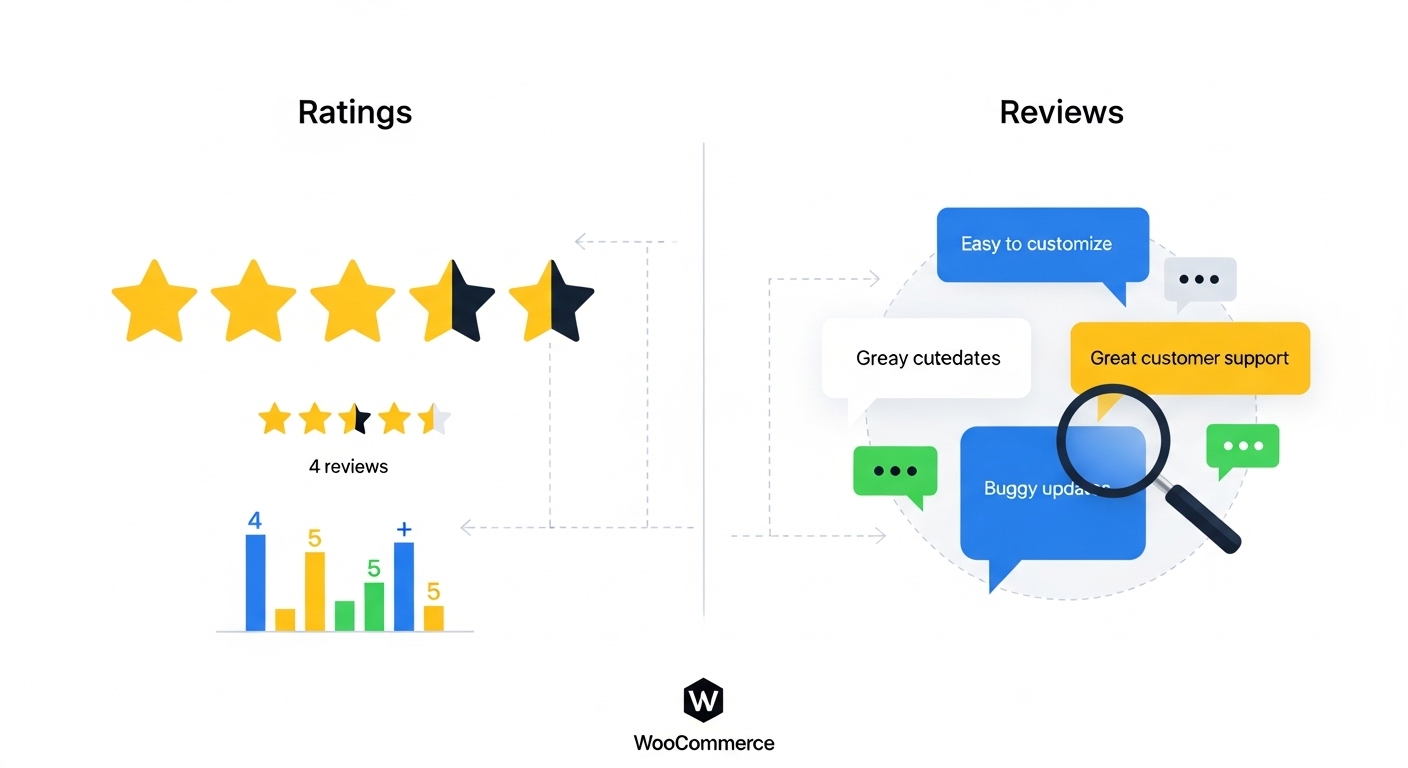
Ratings give you an instant snapshot of a theme’s overall quality. But there’s more to them than just a star count.
⭐ High Ratings (4.5 – 5 Stars)
A consistently high rating across hundreds or thousands of reviews is a strong signal that:
- The theme performs as advertised
- The developer is responsive and reliable
- Most users are genuinely satisfied
- Updates and maintenance are taken seriously
⚠️ Mid-Range Ratings (3 – 4 Stars)
These require careful investigation. A 3.5-star theme isn’t necessarily bad — it may have specific strengths that perfectly match your needs. Dig deeper into the reviews to find out:
- What users commonly complain about
- Whether the issues are deal-breakers for your use case
- If negative reviews are recent or old (fixed by updates)
🚩 Low Ratings (Below 3 Stars)
Avoid these unless you have very specific reasons or strong technical skills. Low ratings usually indicate:
- Unresolved bugs and glitches
- Poor customer support
- Outdated code that conflicts with modern WordPress/WooCommerce versions
Why Reviews Go Deeper Than Ratings
A 4.8-star rating is impressive — but the written reviews tell the real story.
Here’s what experienced WooCommerce store owners look for when reading theme reviews:
1. 🛠️ Support Quality Mentions
Look for reviews that specifically mention customer support. Phrases like:
- “The support team resolved my issue within hours”
- “Developer went above and beyond to help me customize”
- “Support team is non-existent after purchase”
Support quality is critical for WooCommerce themes because you’ll likely need help at some point — whether it’s a conflict with a payment gateway plugin or a layout issue on mobile.
2. 🔄 Update Frequency Comments
A theme that isn’t regularly updated will eventually break your WooCommerce store as WordPress and WooCommerce push new versions. Look for reviews mentioning:
- Frequent and stable updates
- Whether updates caused problems
- How long the developer has been maintaining the theme
3. 🚀 Performance and Speed Feedback
WooCommerce stores live and die by their speed. Real users often mention:
- Load times before and after theme installation
- Conflicts with caching plugins
- Core Web Vitals improvements or issues
4. 🔌 Plugin Compatibility Notes
Your WooCommerce store will rely on multiple plugins — payment gateways, SEO tools, email marketing integrations, and more. Reviews often highlight:
- Compatibility with popular plugins like Yoast SEO, WooCommerce Subscriptions, or WPML
- Conflicts that developers failed to fix
- Smooth integration experiences
5. 📱 Mobile Experience Feedback
With mobile commerce growing year over year, any mention of mobile issues in reviews should be taken seriously. Watch for comments about:
- Broken layouts on mobile devices
- Slow mobile performance
- Touch-unfriendly navigation menus
Red Flags to Watch for in WooCommerce Theme Reviews
Not all reviews are created equal. Here’s what should make you pause before purchasing:
🚩 Fake-Looking 5-Star Reviews
Be suspicious of themes with dozens of identical 5-star reviews that:
- Contain no specific details
- Were all posted around the same time
- Sound like marketing copy
Legitimate reviews are specific, mention real use cases, and sometimes note minor issues even when giving high ratings.
🚩 Unanswered 1-Star Reviews
If a developer fails to respond to critical negative reviews — especially those mentioning bugs or support failures — that’s a major red flag. Responsive developers always acknowledge and address negative feedback.
🚩 Recent Negative Trend
A theme might have 500 reviews with a 4.5-star average, but if the last 20 reviews are mostly 1 and 2 stars, something has gone wrong recently. Always filter by most recent reviews to get an accurate current picture.
🚩 Complaints About Abandoned Updates
If multiple users mention the theme hasn’t been updated in 12+ months, your site could face serious compatibility and security risks down the road.
Where to Find Reliable WooCommerce Theme Reviews
Not all platforms have equally trustworthy reviews. Here’s where to look:
1. ThemeForest / Envato Market
The largest marketplace for premium WordPress and WooCommerce themes. Reviews here are from verified buyers, which adds credibility. Look at:
- Overall rating
- Number of sales
- Last update date
- Comments section (not just reviews)
2. WordPress.org Theme Repository
For free themes, WordPress.org is the gold standard. Reviews are left by real users, and you can see developer responses.
3. G2, Trustpilot, and Capterra
For more established theme brands, third-party review platforms can provide unbiased opinions outside the developer’s own ecosystem.
4. YouTube Reviews and Tutorials
Video reviews often go deeper than text reviews, showing you the theme in action. Content creators who build demo stores with themes can highlight issues that written reviews miss.
5. WordPress Facebook Groups and Reddit Communities
Communities like r/Wordpress or dedicated WooCommerce Facebook groups are goldmines for honest, unfiltered opinions from real store owners.
6. Expert Theme Buying Guides
Curated resources like Choosing the Right WordPress Theme for 2025: A Complete Buyer’s Guide by PressLayouts break down what to look for in a WordPress/WooCommerce theme, offering expert insights alongside community wisdom — saving you hours of research.
How to Use Reviews to Compare WooCommerce Themes
Here’s a practical framework for using ratings and reviews in your theme selection process:
Step 1: Create a Shortlist
Start with themes that have:
- ⭐ Minimum 4-star rating
- 💬 At least 50+ reviews (more is better)
- 🔄 Updated within the last 6 months
- 💰 Active sales indicating community trust
Step 2: Read the Negative Reviews First
This might sound counterintuitive, but negative reviews reveal the truth. Focus on:
- Issues that are consistently mentioned by multiple users
- Whether the developer responded professionally
- Whether the problem has been patched
Step 3: Cross-Reference with Expert Recommendations
Individual reviews can be biased or lack context. Cross-reference your findings with expert theme guides that evaluate themes from a technical standpoint — like page speed scores, code quality, and WooCommerce compatibility. Resources like the PressLayouts WordPress Theme Buyer’s Guide offer this kind of structured evaluation to complement user reviews.
Step 4: Check Developer Activity
Visit the developer’s website and social channels:
- When was the last update pushed?
- Do they have a public roadmap?
- Is there an active support forum?
Step 5: Test Before You Commit
Many premium WooCommerce themes offer:
- Live demos
- Money-back guarantees (usually 14-30 days)
- Lite/free versions to test core features
Use these opportunities before committing your budget.
Top WooCommerce Theme Features Reviewers Care Most About
Based on patterns across thousands of theme reviews, here’s what WooCommerce store owners consistently value most:
| Feature | Why Reviewers Care |
|---|---|
| Speed & Performance | Directly impacts sales and SEO rankings |
| Mobile Responsiveness | Over 60% of eCommerce traffic is mobile |
| Customer Support | Essential when things go wrong |
| Plugin Compatibility | WooCommerce requires many supporting plugins |
| Customization Options | Flexibility without coding |
| Regular Updates | Ensures ongoing security and compatibility |
| Demo Content Import | Gets stores live faster |
| Documentation Quality | Reduces reliance on support |
The ROI of Choosing a Well-Reviewed WooCommerce Theme
Spending extra time on theme research before launch pays dividends:
- ✅ Fewer development headaches = lower freelancer costs
- ✅ Faster load speeds = higher conversion rates
- ✅ Reliable updates = long-term security and stability
- ✅ Responsive support = less downtime
- ✅ Better user experience = higher customer lifetime value
Think of a well-reviewed WooCommerce theme not as an expense, but as a long-term investment in your store’s foundation.
Final Thoughts
Ratings and reviews are one of the most powerful tools available to you when choosing a WooCommerce theme. They represent hundreds or thousands of real-world experiences that can help you avoid costly mistakes and make a confident investment in your online store.
Don’t skip this step.
Read the reviews critically, watch for red flags, cross-reference with expert guides, and always test before you buy. The few extra hours you invest in research now could save you weeks of headaches — and thousands of dollars — down the road.
Ready to Choose Your Perfect WooCommerce Theme?
Before making your final decision, make sure to check out Choosing the Right WordPress Theme for 2025: A Complete Buyer’s Guide — a comprehensive resource from PressLayouts that walks you through every factor you need to evaluate when selecting a WordPress or WooCommerce theme in 2025.
From performance benchmarks to design considerations, it’s the complete checklist every store owner needs before clicking “Buy Now.”
Have a favorite WooCommerce theme you’d recommend? Share your experience in the comments below — your review might help another store owner make the right choice!