Webflow vs WordPress: Choosing the Best Website Builder for You
Everything You Need to Know Before Choosing Your Website Platform
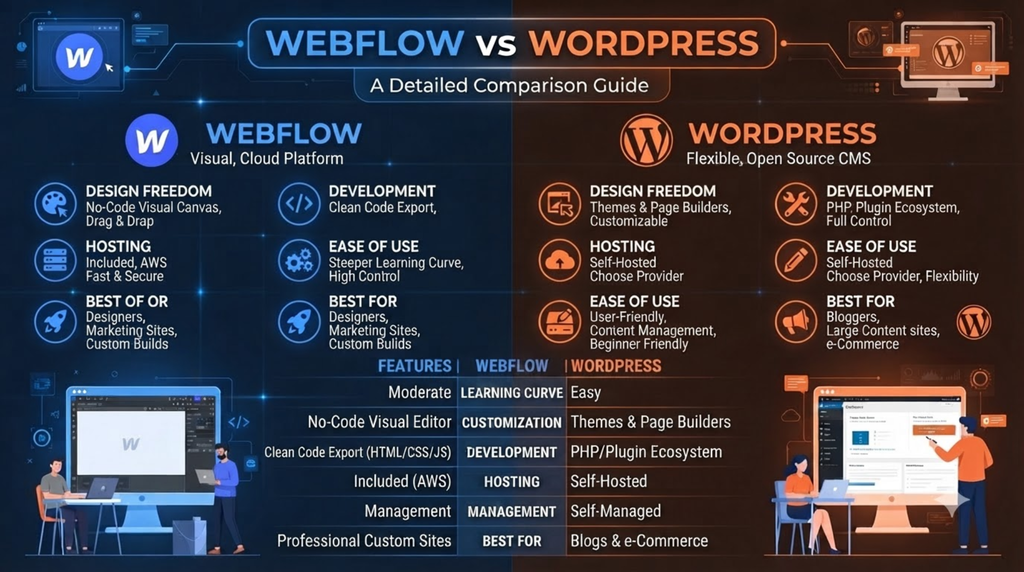
Quick Answer: Webflow is best for designers and agencies who want pixel-perfect visual control without coding. WordPress is best for content-heavy websites, bloggers, and businesses needing maximum plugin flexibility and ownership. Your choice depends on your technical skill, budget, team size, and long-term goals.
📌 Platform Overview & Market Position 2027 {#overview}
| Feature | Webflow | WordPress |
|---|---|---|
| Founded | 2013 | 2003 |
| Market Share | ~4.2% | ~43.5% |
| Total Websites | 3.5M+ | 810M+ |
| Hosting | Cloud-hosted (SaaS) | Self-hosted or managed |
| Open Source | ❌ No | ✅ Yes |
| Pricing Model | Subscription | Free + Plugins/Hosting |
| Best For | Designers, Agencies | Bloggers, Developers, Enterprises |
| AI Integration (2027) | Native AI Designer | AI plugins + Gutenberg AI |
| Coding Required | Optional | Optional |
🌐 What Is Webflow? {#webflow}
Webflow is a visual web development platform that lets users design, build, and launch responsive websites entirely through a browser-based drag-and-drop interface — without writing a single line of code, unless they want to.
Key Characteristics of Webflow (2027):
- Visual CSS/HTML/JavaScript builder — what you design is what gets published
- Built-in CMS for dynamic content
- Hosting included on Amazon AWS and Fastly CDN
- Native e-commerce functionality
- Webflow AI — integrated AI assistant for layout suggestions, copy generation, and SEO
- Webflow University — one of the most comprehensive free learning resources in web design
- Logic (Webflow Automations) — no-code workflow builder
Webflow’s Evolution by 2027:
By 2027, Webflow has expanded significantly into the enterprise market, competing directly with platforms like Adobe Experience Manager and Sitecore. The platform now supports:
- Multi-site management dashboards
- Advanced localization with GEO-targeted content delivery
- Native SSO (Single Sign-On) for enterprise teams
- AI-powered design generation from text prompts
- Component-based design systems similar to Figma
📝 What Is WordPress? {#wordpress}
WordPress is the world’s most popular open-source content management system (CMS). It powers everything from personal blogs to Fortune 500 company websites, news organizations, and complex web applications.
Key Characteristics of WordPress (2027):
- Two versions: WordPress.com (hosted) and WordPress.org (self-hosted)
- 60,000+ plugins in the official repository
- 11,000+ themes available
- Full ownership of your code, data, and content
- Gutenberg Block Editor — now highly mature with full-site editing (FSE)
- WooCommerce — the world’s most-used e-commerce solution
- REST API & GraphQL support for headless architecture
- Multisite functionality for managing multiple websites
WordPress’s Evolution by 2027:
WordPress has responded to competitive pressure by dramatically improving:
- Performance through server-side rendering improvements
- Security hardening with built-in 2FA and enhanced login protections
- Gutenberg AI — native AI writing and layout assistant inside the block editor
- Phase 4 of Gutenberg — complete collaborative editing features
- WordPress Playground — instant no-install WordPress environments in the browser
- Interactivity API — dynamic front-end interactions without heavy JavaScript
🖱️ Ease of Use Comparison {#ease-of-use}
Webflow Ease of Use
Learning Curve: Medium-High
Webflow is not a beginner platform in the traditional sense. While it requires no coding, it does require understanding of:
- CSS Flexbox and Grid concepts
- HTML document structure
- Responsive breakpoints
- Class-based styling systems
However, for designers with visual backgrounds, Webflow feels incredibly intuitive because it mirrors professional design tools like Figma or Adobe XD.
Webflow Learning Resources (2027):
- Webflow University (free, 200+ video lessons)
- Webflow AI Design Assistant (suggests layouts and components)
- Webflow Template Library (500+ professional templates)
- Webflow Community Forums
- Official Webflow Certification Programs
Webflow Editor vs. Designer:
- Designer — Full visual builder for creating sites
- Editor — Simplified CMS editor for clients to update content safely
WordPress Ease of Use
Learning Curve: Low to Medium (varies greatly)
WordPress is arguably easier to start with but can become complex at scale. The Gutenberg block editor has dramatically simplified content creation since its introduction.
Getting Started With WordPress:
- Choose a hosting provider (Hostinger, Kinsta, WP Engine, Bluehost)
- Install WordPress (usually one-click)
- Choose and install a theme
- Add essential plugins
- Start creating content
WordPress Learning Resources (2027):
- WordPress.org official documentation
- WPBeginner (largest WordPress tutorial site)
- LearnWP.org (official learning platform)
- YouTube community (millions of tutorials)
- Local WordPress user groups (WordCamps)
Ease of Use Verdict:
| Criteria | Webflow | WordPress |
|---|---|---|
| Initial Setup | ⭐⭐⭐⭐ Easy | ⭐⭐⭐⭐⭐ Very Easy |
| Content Editing | ⭐⭐⭐ Moderate | ⭐⭐⭐⭐ Easy |
| Design Customization | ⭐⭐⭐⭐⭐ Excellent | ⭐⭐⭐ Moderate |
| Advanced Features | ⭐⭐⭐⭐ Good | ⭐⭐⭐⭐⭐ Excellent |
| Client Handoff | ⭐⭐⭐⭐⭐ Excellent | ⭐⭐⭐ Moderate |
🎨 Design & Customization {#design}
Webflow Design Capabilities
Webflow gives designers unprecedented visual control over every pixel on the page without writing CSS manually.
Core Design Features:
- Visual CSS Grid and Flexbox builder
- Interactions & Animations — complex scroll-triggered and hover animations
- Component Library — reusable design components across pages
- Style Guide — global swatches, typography, and spacing systems
- Custom Fonts — Google Fonts, Adobe Fonts, and custom font uploads
- SVG Animations — Lottie integration
- Symbols/Components — make a change once, update everywhere
- Responsive Design — desktop, tablet, landscape, portrait, and mobile breakpoints
Webflow Interactions 2.0 (2027):
The latest version of Webflow Interactions supports:
- Multi-step animations
- Physics-based motion
- Scroll-driven animations (aligned with native CSS scroll-driven animations spec)
- 3D transforms
- Variable font support
WordPress Design Capabilities
WordPress design flexibility depends heavily on your theme and page builder choice.
Native WordPress Design (Gutenberg FSE):
- Full-site editing — customize headers, footers, and templates visually
- Pattern library — pre-designed block combinations
- Style variations — theme-level design presets
- Block-level styling — margins, padding, colors per block
- Global styles — site-wide typography and color management
Popular WordPress Page Builders (2027):
| Page Builder | Strengths | Pricing |
|---|---|---|
| Elementor Pro | Comprehensive widgets, Theme Builder | $59-$399/year |
| Divi | Visual builder, built-in A/B testing | $89/year |
| Bricks Builder | Developer-friendly, performance-focused | $79 lifetime |
| Oxygen Builder | Maximum code control | $129 lifetime |
| Breakdance | Modern UI, fast performance | $149 lifetime |
| Gutenberg (native) | Free, core WordPress experience | Free |
WordPress Design Limitations:
- Out-of-the-box themes often require customization
- Complex animations require additional plugins or custom code
- Design consistency across plugins can be challenging
- Page builders can add performance overhead
Design Verdict:
Webflow wins for pixel-perfect visual design and custom animations.
WordPress wins for design flexibility through ecosystem choice and full code access.
💰 Pricing & Total Cost of Ownership {#pricing}
Webflow Pricing (2027)
Site Plans (for published websites):
| Plan | Price/Month (Annual) | Best For |
|---|---|---|
| Starter | Free | Testing/Learning |
| Basic | $18/month | Simple brochure sites |
| CMS | $29/month | Blogs, content sites |
| Business | $49/month | High-traffic sites |
| Enterprise | Custom ($200-2000+/month) | Large organizations |
Workspace Plans (for design teams):
| Plan | Price/Month | Seats |
|---|---|---|
| Starter | Free | 1 |
| Core | $19/month | Unlimited clients |
| Growth | $49/month | Unlimited + advanced features |
| Agency | $149/month | Full agency features |
| Enterprise | Custom | Custom |
Webflow E-commerce Plans:
| Plan | Price/Month | Transaction Fee |
|---|---|---|
| Standard | $42/month | 2% |
| Plus | $84/month | 0% |
| Advanced | $235/month | 0% |
Webflow True Total Cost:
- Site plan + Workspace plan required for teams
- No plugin costs (most features built-in)
- No separate hosting costs
- Some third-party integrations may have additional costs
- Estimated annual cost for a business site: $500–$2,500/year
WordPress Pricing (2027)
WordPress.com Plans:
| Plan | Price/Month | Best For |
|---|---|---|
| Free | $0 | Basic blogs |
| Personal | $4/month | Personal sites |
| Premium | $8/month | Freelancers |
| Business | $25/month | Businesses (plugins allowed) |
| Commerce | $45/month | Online stores |
| Enterprise | Custom | Large organizations |
WordPress.org (Self-Hosted) True Costs:
| Component | Estimated Annual Cost |
|---|---|
| Domain Name | $10–$20/year |
| Hosting (Shared) | $30–$120/year |
| Hosting (Managed WP) | $200–$2,400/year |
| Premium Theme | $0–$100 one-time or $50–$100/year |
| Essential Plugins | $0–$1,000/year |
| Security Plugin | $100–$300/year |
| SEO Plugin | $0–$200/year |
| Backup Solution | $50–$150/year |
| Developer Costs | $0–$5,000+/year |
| Total Estimate | $200–$9,000+/year |
Hidden WordPress Costs to Consider:
- Premium plugins for features Webflow includes natively
- Developer time for customization and maintenance
- Security monitoring and malware cleanup
- Plugin conflicts and troubleshooting time
- Performance optimization tools and services
Pricing Verdict:
Webflow has predictable subscription costs — great for agencies and businesses wanting an all-in-one bill.
WordPress can be extremely affordable for simple sites but costs can escalate quickly for complex, enterprise-grade deployments.
🔍 SEO Capabilities — AIO, AEO, and GEO {#seo}
This is one of the most critical sections for website owners in 2027, where search has fundamentally changed.
Understanding Modern SEO in 2027
Search engine optimization in 2027 encompasses three distinct but interconnected disciplines:
- AIO (AI Overview Optimization) — Optimizing content to appear in Google’s AI Overviews, Bing Copilot answers, and other AI-generated search summaries
- AEO (Answer Engine Optimization) — Optimizing for voice search, featured snippets, People Also Ask boxes, and direct answer formats
- GEO (Generative Engine Optimization) — Optimizing for AI-powered search engines like Perplexity AI, SearchGPT, and Google Gemini that generate synthesized answers from multiple sources
- Traditional SEO — Still relevant: technical SEO, backlinks, authority, Core Web Vitals
Webflow SEO Capabilities
Traditional SEO Features (Built-In):
✅ Technical SEO:
- Auto-generated XML sitemaps
- Clean, semantic HTML output
- Custom meta titles and descriptions per page
- Custom Open Graph and Twitter Card tags
- 301 redirects manager (built-in)
- Canonical URL control
- Robots.txt editor
- Schema markup via custom code embeds or attributes
- SSL/HTTPS by default
- Image compression and WebP conversion
- Lazy loading by default
✅ Page Speed SEO:
- Global CDN (Fastly + AWS)
- Automatic image optimization
- Code minification
- No plugin bloat affecting performance
❌ Webflow SEO Limitations:
- No native SEO plugin like Yoast or RankMath
- Schema markup requires manual code embedding
- Limited bulk SEO editing for large sites
- No native A/B testing for SEO elements
AIO (AI Overview Optimization) in Webflow:
To optimize for Google’s AI Overviews using Webflow:
Strategies:
- Structure content with clear H1-H6 hierarchy — Webflow’s visual editor makes this intuitive
- Create FAQ sections — Use Webflow’s CMS to build structured Q&A content
- Add Schema Markup manually — Insert JSON-LD FAQ schema, HowTo schema, and Article schema via custom code blocks
- Ensure E-E-A-T signals — Author pages, credentials, citations built into Webflow’s CMS
- Page speed optimization — Webflow’s built-in performance helps pages get indexed and trusted
Webflow + AI Overview Optimization Checklist:
- Add JSON-LD structured data to all key pages
- Create dedicated FAQ CMS collections
- Implement author schema on blog posts
- Add breadcrumb schema
- Structure content with clear, direct answers near the top
- Use Webflow’s rich text editor to create skimmable content
AEO (Answer Engine Optimization) in Webflow:
What AEO Targets:
- Voice search results (Google Assistant, Siri, Alexa)
- Featured snippets (Position Zero)
- People Also Ask (PAA) boxes
- Knowledge panels
- Direct answers in AI chatbots
AEO Strategies in Webflow:
- Question-based headings — Use H2s and H3s phrased as questions
- Concise answer paragraphs — Follow each question with a 40-60 word direct answer
- Numbered and bulleted lists — Webflow’s rich text editor supports these natively
- Table creation — Webflow supports tables for comparison data that search engines love
- Definition-style content — “What is X” sections get featured in answer boxes
- Local business schema — For local AEO, embed LocalBusiness JSON-LD
AEO Schema Types to Implement in Webflow:
JSON{
  "@context": "https://schema.org",
  "@type": "FAQPage",
  "mainEntity": [{
    "@type": "Question",
    "name": "Is Webflow better than WordPress?",
    "acceptedAnswer": {
      "@type": "Answer",
      "text": "Webflow is better for designers seeking visual control, while WordPress offers greater flexibility through its plugin ecosystem."
    }
  }]
}
GEO (Generative Engine Optimization) in Webflow:
GEO is the newest and most important SEO discipline of 2027.
When AI systems like Perplexity, SearchGPT, Google Gemini, and Claude browse the web to generate answers, they look for specific signals:
GEO Signals That Matter:
- Citation-worthiness — Content that is specific, factual, and well-sourced
- Topical authority — Deep coverage of a subject across multiple pages
- Freshness — Regularly updated content with visible publish/update dates
- Authoritativeness — Clear author credentials and organization trust signals
- Structured data richness — Schema markup helps AI systems understand content context
- Direct, definitive statements — AI systems prefer content that makes clear claims
- Original data and research — Unique statistics and findings get cited more
GEO Implementation in Webflow:
- Use Webflow’s CMS to maintain updated publication dates
- Create author profile pages with credentials and social proof
- Build topic cluster architectures using Webflow’s CMS collections
- Add Organization, Person, and Website schema to root pages
- Include data tables and statistics that AI systems can extract
- Implement breadcrumb navigation for clear site hierarchy
Webflow GEO Advantage:
Webflow’s clean HTML output means AI crawlers face fewer obstacles when parsing content. There’s no plugin-generated code clutter that can confuse automated readers.
WordPress SEO Capabilities
Traditional SEO — WordPress Dominates:
WordPress has the most mature SEO ecosystem of any CMS. The combination of specialized plugins and full code access makes it the gold standard for technical SEO.
Top WordPress SEO Plugins (2027):
| Plugin | Key Features | Price |
|---|---|---|
| Yoast SEO Premium | Content analysis, Schema, Redirects | $99/year |
| RankMath Pro | Advanced Schema, Analytics, AI suggestions | $59/year |
| All in One SEO (AIOSEO) | Complete SEO toolkit, TruSEO | $49-$299/year |
| SEOPress Pro | Lightweight, fast, WooCommerce SEO | $49/year |
| The SEO Framework | Auto-SEO, privacy-focused | $84/year |
AIOSEO (All in One SEO) — Deep Dive:
All in One SEO is the most comprehensive SEO plugin for WordPress in 2027, with features specifically targeting modern SEO needs:
- TruSEO Score — Content analysis with actionable recommendations
- Schema Generator — 15+ schema types with visual builder
- Sitemap Manager — XML, Video, News, RSS sitemaps
- Link Assistant — Internal linking suggestions and audit
- SEO Audit Checklist — Technical SEO issue scanner
- Headline Analyzer — Title optimization for CTR
- Search Statistics — Google Search Console data in WordPress dashboard
- AIO AI Integration (2027) — AI-powered content and meta description generation
- Local SEO Module — Business schema, opening hours, maps
- WooCommerce SEO — Product-level SEO optimization
- Redirects Manager — 301, 302, 307, 410 redirect management
AIO (AI Overview Optimization) in WordPress:
WordPress + AIOSEO for AI Overviews:
- Schema Markup Automation:
- AIOSEO’s Schema Generator automatically adds Article, BlogPosting, and FAQPage schema
- Visual schema builder requires no coding
- Schema validation built into the plugin
- Content Optimization for AI Overviews:
- RankMath’s Content AI suggests optimizations for featured snippets
- Yoast’s Cornerstone Content feature helps establish authority pages
- Internal linking plugins ensure AI systems understand site structure
- WordPress AI Overview Plugin Stack (Recommended 2027):
- AIOSEO or RankMath (primary SEO)
- Schema Pro (advanced schema types)
- WP Rocket (performance for crawlability)
- Surfer SEO or NeuronWriter (content optimization)
AEO (Answer Engine Optimization) in WordPress:
WordPress AEO Advantages:
- Dedicated AEO plugins — Tools like “Answer The Public Integration” plugins
- FAQ Block in Gutenberg — Native FAQ block with schema support
- Voice Search Optimization plugins — Specific tools for conversational keyword targeting
- Question-Answer plugins — Dedicated Q&A systems with automatic schema
- Featured Snippet Optimizer — Plugins that analyze and suggest snippet-winning formats
WordPress AEO Schema Implementation:
RankMath and AIOSEO both offer visual FAQ schema builders that:
- Add collapsible FAQ sections to pages
- Automatically generate FAQPage JSON-LD
- Connect to Google Search Console to track featured snippet performance
- Suggest question-format headings based on search data
GEO (Generative Engine Optimization) in WordPress:
WordPress GEO Strengths:
- Content Architecture Control:
- Full control over URL structures for topic clustering
- Category and tag taxonomy for topical organization
- Custom post types for content specialization
- Authority Signals:
- Author boxes with credentials (from plugins like Simple Author Box)
- Co-author support
- Organization markup through AIOSEO Local
- Trust badges and certification displays
- Citation-Worthy Content Tools:
- TablePress — Create citation-worthy data tables
- Lasso — Affiliate and reference link management
- WP Data Tables — Dynamic tables with statistics
- Freshness Signals:
- Last modified date display plugins
- Content freshness auditing tools
- Scheduled content update reminders (via plugins)
- WordPress GEO Plugin Stack (2027):
- AIOSEO or RankMath (foundation)
- Schema Pro (enhanced schema)
- Yoast Duplicate Post (content refresh workflow)
- Authors & Users (author authority building)
- MonsterInsights (traffic analysis integration)
SEO Comparison Table: Webflow vs WordPress
| SEO Category | Webflow | WordPress |
|---|---|---|
| Technical SEO | ⭐⭐⭐⭐ Built-in basics | ⭐⭐⭐⭐⭐ Comprehensive via plugins |
| Page Speed | ⭐⭐⭐⭐⭐ Excellent out-of-box | ⭐⭐⭐ Requires optimization |
| Schema Markup | ⭐⭐⭐ Manual embedding | ⭐⭐⭐⭐⭐ Visual builders available |
| AIO Optimization | ⭐⭐⭐ Manual implementation | ⭐⭐⭐⭐⭐ Plugin ecosystem support |
| AEO Optimization | ⭐⭐⭐ Manual FAQ schemas | ⭐⭐⭐⭐⭐ Dedicated AEO tools |
| GEO Optimization | ⭐⭐⭐⭐ Clean code advantage | ⭐⭐⭐⭐⭐ Full control advantage |
| Local SEO | ⭐⭐⭐ Manual schema | ⭐⭐⭐⭐⭐ Dedicated local SEO plugins |
| E-commerce SEO | ⭐⭐⭐ Basic product SEO | ⭐⭐⭐⭐⭐ WooCommerce SEO plugins |
| Bulk SEO Editing | ⭐⭐ Limited | ⭐⭐⭐⭐⭐ Plugin-powered bulk editing |
| Content SEO Analysis | ⭐⭐ Webflow AI (basic) | ⭐⭐⭐⭐⭐ Yoast/RankMath analysis |
Overall SEO Verdict:
WordPress wins overall SEO due to its comprehensive plugin ecosystem, especially for AIO, AEO, and GEO optimization in 2027.
Webflow wins on technical performance SEO — page speed, clean code, and CDN infrastructure that lay the foundation for search success.
Best Practice: Use Webflow for design-driven sites where speed matters most, use WordPress for content-heavy sites requiring deep SEO customization.
⚡ Performance & Core Web Vitals {#performance}
Why Performance Matters More Than Ever in 2027
Google’s ranking algorithm now weights Core Web Vitals more heavily than at any previous point. Additionally, AI crawlers that power GEO prioritize fast, accessible sites.
Core Web Vitals Explained (2027 Update):
| Metric | What It Measures | Good Score |
|---|---|---|
| LCP (Largest Contentful Paint) | Loading performance | < 2.5 seconds |
| INP (Interaction to Next Paint) | Responsiveness (replaced FID) | < 200 milliseconds |
| CLS (Cumulative Layout Shift) | Visual stability | < 0.1 |
| FCP (First Contentful Paint) | Initial page render | < 1.8 seconds |
| TTFB (Time to First Byte) | Server response time | < 800ms |
Webflow Performance
Out-of-the-Box Performance:
Webflow sites consistently achieve excellent Core Web Vitals scores without optimization because:
- Code is generated by Webflow’s engine (clean and minimal)
- Hosting on Fastly CDN with 180+ global PoPs
- Automatic WebP image conversion
- Lazy loading on all images by default
- CSS and JavaScript minification built-in
- HTTP/3 support on all plans
Typical Webflow Performance Scores (Google PageSpeed Insights 2027):
- Mobile: 85–96/100
- Desktop: 92–99/100
Webflow Performance Limitations:
- Interactions and animations can add JavaScript weight
- Embedded third-party scripts (chat, analytics, ads) still affect performance
- Large Webflow CMS sites can have slower server response on lower-tier plans
- Excessive custom code can break performance guarantees
WordPress Performance
Out-of-the-Box Performance:
Default WordPress installation is not optimized for performance. Significant setup is required to achieve excellent scores.
WordPress Performance Optimization Stack:
| Category | Plugin/Tool | Impact |
|---|---|---|
| Caching | WP Rocket, LiteSpeed Cache, W3 Total Cache | ⭐⭐⭐⭐⭐ |
| Image Optimization | ShortPixel, Imagify, Smush | ⭐⭐⭐⭐⭐ |
| CDN | Cloudflare, BunnyCDN, KeyCDN | ⭐⭐⭐⭐⭐ |
| Database Optimization | WP-Optimize, Advanced DB Cleaner | ⭐⭐⭐ |
| Script Management | Asset CleanUp, Perfmatters | ⭐⭐⭐⭐ |
| Hosting | Kinsta, WP Engine, Cloudways | ⭐⭐⭐⭐⭐ |
WordPress Achievable Performance Scores:
With full optimization stack:
- Mobile: 80–95/100
- Desktop: 90–99/100
WordPress Performance Challenges:
- Multiple plugins each adding their own JavaScript and CSS
- Database queries can slow sites with large content libraries
- Page builders often add render-blocking resources
- Theme conflicts can introduce performance issues
- Requires ongoing maintenance to maintain performance
Performance Verdict:
Webflow wins for guaranteed out-of-the-box performance.
WordPress can match Webflow’s performance but requires significant investment in optimization tools and expertise.
🔐 Security & SSO (Single Sign-On) {#security}
Security is Critical in 2027
With AI-powered cyberattacks becoming more sophisticated, website security is more important than ever in 2027. Both platforms have evolved their security approaches significantly.
Webflow Security
Built-in Security Features:
- SSL/HTTPS automatically provisioned and renewed
- DDoS protection via Fastly
- Webflow manages all platform-level security patches
- No plugin vulnerabilities (closed ecosystem)
- Automatic infrastructure updates
- SOC 2 Type II compliant
- GDPR compliant
Webflow Security Advantages:
Because Webflow is a managed SaaS platform, users never need to worry about:
- CMS core security updates
- Server security configuration
- PHP version management
- Database security
- File permission issues
Webflow Security Limitations:
- Users cannot implement custom server-level security rules
- Reliance on Webflow’s security team (single point of failure)
- Limited control over security headers (improving in 2027)
- Custom code embeds can introduce vulnerabilities
Webflow SSO (Single Sign-On)
Webflow SSO Features (2027 Enterprise):
Webflow’s Enterprise plan now includes comprehensive SSO capabilities for team and member access management:
Team SSO (For Webflow Workspaces):
- SAML 2.0 support
- Integration with Okta, Azure Active Directory, Google Workspace, OneLogin
- Role-based access control (RBAC)
- Multi-factor authentication (MFA) enforcement
- Session management and forced logout
- Audit logs for all team actions
- IP allowlisting
Webflow Memberships SSO (For Website Users):
- Native Webflow Memberships (launched and matured by 2027)
- OAuth integration — Login with Google, Apple, GitHub
- OIDC (OpenID Connect) support
- Custom member roles and gating
- JWT-based authentication for headless implementations
- Magic link authentication
Setting Up SSO in Webflow:
- Navigate to Workspace Settings → Security
- Enable SAML SSO
- Enter Identity Provider (IdP) metadata URL
- Map SAML attributes to Webflow user fields
- Test with a sandbox account
- Enforce SSO for all team members
WordPress Security
WordPress Security Reality:
WordPress powers 43% of the web, making it the largest target for hackers. Security requires active management.
Common WordPress Security Vulnerabilities:
- Outdated core, themes, or plugins
- Weak admin passwords
- Insecure hosting environments
- SQL injection via vulnerable plugins
- Cross-site scripting (XSS) attacks
- Brute force login attacks
- File inclusion vulnerabilities
WordPress Security Plugin Stack (2027):
| Plugin | Key Features | Price |
|---|---|---|
| Wordfence Security | Firewall, malware scanner, login security | Free/$119 year |
| Solid Security (iThemes) | Brute force protection, file change detection | Free/$99 year |
| Sucuri Security | Cloud WAF, malware cleanup, CDN | $199-$499/year |
| WP Cerber | Advanced login protection, anti-spam | $99/year |
| MalCare | AI-powered malware detection | $99-$299/year |
WordPress Security Best Practices (2027):
- Keep WordPress core, themes, and plugins updated
- Use strong, unique passwords with a password manager
- Enable two-factor authentication (2FA)
- Limit login attempts
- Use HTTPS (SSL certificate)
- Regular backups (UpdraftPlus, BlogVault)
- Choose secure managed WordPress hosting
- Disable XML-RPC if not needed
- Hide WordPress version number
- Regular security audits
WordPress SSO (Single Sign-On)
WordPress has a mature SSO ecosystem thanks to its extensive plugin library.
WordPress SSO Plugins (2027):
| Plugin | Protocol Support | Price |
|---|---|---|
| miniOrange SSO | SAML, OAuth, LDAP, JWT | Free/$149/year |
| WP SAML Auth | SAML 2.0 | Free + IdP costs |
| NextAuth.js (Headless) | OAuth, OIDC, Email | Free (developer setup) |
| Ultimate Member | OAuth social login | Free/$249/year |
| WPForms + Zapier | Custom auth flows | Varies |
Enterprise WordPress SSO Options:
- Okta WordPress Plugin — Direct Okta integration
- Azure AD SSO — Microsoft ecosystem integration
- Google Workspace SSO — G Suite team login
- Auth0 WordPress Plugin — Enterprise identity management
- PingFederate — Large enterprise IdP support
WordPress SSO Implementation for WooCommerce:
For e-commerce sites, SSO enables:
- Single account across multiple store sites
- Enterprise B2B buyer authentication
- Customer portal integration with CRMs
- Wholesale account management
WordPress Headless + SSO:
With WordPress as a headless CMS in 2027, SSO is commonly implemented at the Next.js or Gatsby front-end layer using:
- NextAuth.js
- Clerk
- Auth0
- Supabase Auth
Security & SSO Comparison:
| Security Feature | Webflow | WordPress |
|---|---|---|
| SSL/HTTPS | ✅ Automatic | ✅ Via hosting |
| DDoS Protection | ✅ Built-in (Fastly) | ⚡ Via Cloudflare/plugin |
| Malware Scanning | ✅ Platform-managed | ⚡ Via plugin |
| Login Protection | ✅ Built-in 2FA | ⚡ Via plugin |
| Security Updates | ✅ Automatic | ⚠️ Manual (user responsibility) |
| SOC 2 Compliance | ✅ Enterprise | ✅ Via managed hosting |
| SAML SSO | ✅ Enterprise plan | ✅ Via plugins |
| OAuth/OIDC | ✅ Memberships | ✅ Via plugins |
| LDAP/Active Directory | ❌ Limited | ✅ Via plugins |
| User Role Management | ⭐⭐⭐ Basic | ⭐⭐⭐⭐⭐ Comprehensive |
| Audit Logs | ✅ Enterprise | ⚡ Via plugins |
| IP Allowlisting | ✅ Enterprise | ✅ Via WAF/plugins |
Security Verdict:
Webflow wins for security simplicity — managed infrastructure means zero maintenance burden.
WordPress wins for security flexibility — full control over every security layer and comprehensive enterprise SSO options.
🛒 E-commerce Features {#ecommerce}
Webflow E-commerce
Webflow Commerce Strengths:
- Beautiful product pages with full visual control
- Custom shopping cart design
- Subscription products (via integrations)
- Digital and physical product support
- Customer account management
- Basic inventory management
- Stripe and PayPal payment processing
- Tax calculation (via TaxJar)
- Abandoned cart recovery
- Order management dashboard
Webflow Commerce Limitations:
- Not suitable for large catalogs (1000+ products)
- Limited shipping integrations
- No native POS (Point of Sale)
- Fewer payment gateway options than WooCommerce
- Limited B2B commerce features
- Less mature than WooCommerce
- No native subscription/membership commerce (requires integrations)
Webflow E-commerce Integrations (2027):
- Foxy.io — Advanced cart functionality
- CartHook — One-page checkout
- Printful — Print-on-demand
- ShipStation — Shipping management
- Zapier — Connect to 5,000+ apps
WordPress E-commerce (WooCommerce)
WooCommerce is the world’s leading e-commerce platform, powering more online stores than Shopify, Magento, or any other solution.
WooCommerce Core Features:
- Unlimited products and categories
- Physical, digital, variable, grouped, and external products
- 100+ payment gateways (Stripe, PayPal, Square, Authorize.net)
- Comprehensive shipping options (zones, rates, classes)
- Full inventory management
- Customer account portals
- Order management and fulfillment workflows
- Coupons and promotions engine
- Tax calculation and compliance
- Refunds and returns management
WooCommerce Extension Ecosystem (2027):
| Category | Extensions Available |
|---|---|
| Payment Gateways | 100+ options |
| Shipping | UPS, FedEx, USPS, DHL, and more |
| Subscriptions | WooCommerce Subscriptions, Sumo |
| Memberships | WooCommerce Memberships, Paid Member Subscriptions |
| B2B Commerce | B2B King, WholesaleX |
| Marketplace | Dokan, WCFM Marketplace |
| Bookings | WooCommerce Bookings |
| Analytics | WooCommerce Analytics, Metorik |
| Marketing | Mailchimp, Klaviyo, ActiveCampaign |
E-commerce Verdict:
WooCommerce/WordPress wins for e-commerce comprehensiveness, scalability, and B2B capabilities.
Webflow wins for beautiful, design-driven small-to-medium store experiences.
📚 CMS & Content Management {#cms}
Webflow CMS
Webflow CMS Strengths:
- Collections — Database-like content types (Blog Posts, Team Members, Products, etc.)
- Reference fields — Link collections to each other (Author → Blog Post)
- Multi-image fields — Multiple images per CMS item
- Rich text fields — Formatted content with embedded media
- Dynamic pages — Auto-generated pages from CMS content
- CMS filtering — Filter and sort content dynamically on the page
- Editor mode — Simplified editing interface for non-technical users
- CMS API — Programmatic content management
- Localization — Multi-language content (2027 enhancement)
Webflow CMS Limitations:
- CMS item limits by plan (Business: 10,000 items, Enterprise: custom)
- No user-generated content system
- Limited content workflow (no editorial approval process)
- No native commenting system
- Custom field types are limited compared to ACF (WordPress)
WordPress CMS
WordPress is fundamentally a CMS and excels at content management at every scale.
WordPress CMS Strengths:
- Unlimited content — No item or page limits
- Custom Post Types — Create any content type imaginable
- Advanced Custom Fields (ACF) — Unlimited custom field types
- Taxonomies — Flexible content categorization
- Editorial Workflow — Draft, Review, Scheduled, Published states
- Multi-author management — Role-based content control
- Content Revisions — Full version history with restoration
- Commenting system — Built-in, with moderation
- Multisite — Manage multiple sites with shared content
- REST API — Headless content delivery anywhere
WordPress Content Management Tools:
| Tool | Purpose |
|---|---|
| ACF Pro | Advanced custom fields |
| CPT UI | Custom post type creator |
| WP All Import | Bulk content import |
| PublishPress | Editorial workflow management |
| CoSchedule | Content calendar |
| Nelio Content | Social media + content planning |
CMS Verdict:
WordPress wins for enterprise content management, editorial workflows, and complex content architecture.
Webflow wins for visually-integrated CMS where content and design are tightly coupled.
🔌 Integrations & Plugins {#integrations}
Webflow Integrations
Native Integrations:
- Zapier (5,000+ apps)
- Make (Integromat)
- Mailchimp
- Google Analytics 4
- Facebook Pixel
- HubSpot
- Stripe
- Lottie animations
- Memberstack
- Outseta
Webflow Logic (Automations):
Webflow’s built-in automation tool (2027) allows:
- Form submission → Email notification
- CMS item creation → Slack message
- User action → Zapier webhook
- Conditional logic for complex workflows
Webflow Integration Limitations:
- Relies heavily on third-party tools (Zapier/Make)
- No native CRM
- No native email marketing
- No native A/B testing
- Limited analytics without third-party tools
WordPress Integrations
WordPress has 60,000+ plugins covering virtually every conceivable integration.
Essential WordPress Plugin Categories:
| Category | Top Options |
|---|---|
| SEO | Yoast, RankMath, AIOSEO |
| Performance | WP Rocket, LiteSpeed Cache |
| Security | Wordfence, Sucuri |
| Backup | UpdraftPlus, BlogVault |
| E-commerce | WooCommerce, Easy Digital Downloads |
| Forms | Gravity Forms, WPForms, Fluent Forms |
| CRM | HubSpot, Salesforce, Zoho |
| Email Marketing | Mailchimp, Klaviyo, ActiveCampaign |
| Analytics | MonsterInsights, Analytify |
| Social Media | Revive Old Posts, Social Warfare |
| Page Builders | Elementor, Divi, Bricks |
| Membership | MemberPress, Restrict Content Pro |
| Learning (LMS) | LearnDash, LifterLMS, TutorLMS |
| Booking | Amelia, Bookly |
| Multi-language | WPML, Polylang, TranslatePress |
Integrations Verdict:
WordPress wins by a massive margin for integrations and plugins. Its ecosystem is unmatched.
Webflow covers core needs but relies on third-party automation bridges for advanced integrations.
🏠 Hosting & Infrastructure {#hosting}
Webflow Hosting
What’s Included:
- Amazon Web Services (AWS) infrastructure
- Fastly CDN with 180+ global edge locations
- SSL certificate (Let’s Encrypt, auto-renewed)
- Automatic backups
- 99.99% uptime SLA (Enterprise)
- HTTP/3 support
- Brotli compression
- Unlimited bandwidth (Business+)
Webflow Hosting Advantages:
- Zero server management
- Automatic scaling during traffic spikes
- Built for Webflow sites specifically
- Consistent performance globally
Webflow Hosting Disadvantages:
- Cannot host non-Webflow sites
- Cannot install server software
- Limited server configuration options
- Higher cost than budget hosting options
- Cannot use external hosting providers
WordPress Hosting Options
WordPress’s flexibility means it can be hosted virtually anywhere.
Hosting Categories for WordPress (2027):
1. Shared Hosting (Budget)
| Provider | Starting Price | Best For |
|---|---|---|
| Hostinger | $2.99/month | Beginners |
| Bluehost | $2.95/month | WordPress beginners |
| SiteGround | $3.99/month | Growing sites |
2. Managed WordPress Hosting (Recommended)
| Provider | Starting Price | Best For |
|---|---|---|
| Kinsta | $35/month | Professional sites |
| WP Engine | $30/month | Business sites |
| Flywheel | $15/month | Designers/Agencies |
| Cloudways | $14/month | Developer-friendly |
| Pressable | $25/month | WooCommerce |
3. Cloud/VPS Hosting (Advanced)
| Provider | Starting Price | Best For |
|---|---|---|
| DigitalOcean | $6/month | Developers |
| AWS Lightsail | $5/month | Scalable workloads |
| Google Cloud | Variable | Enterprise |
| Vultr | $6/month | Performance |
4. Enterprise Hosting
- Pantheon
- Acquia (for WordPress/Drupal)
- WP VIP (WordPress.com VIP)
- Automattic’s enterprise solutions
Hosting Verdict:
Webflow wins for zero-management hosting with excellent performance.
WordPress wins for hosting flexibility — from $3/month shared hosting to custom enterprise infrastructure.
🆘 Support & Community {#support}
Webflow Support
Official Support Channels:
- Help Center — Comprehensive documentation and tutorials
- Webflow University — Free video course library (200+ lessons)
- Community Forum — Active user community
- Webflow Discord — Real-time community chat
- Email Support — All paid plans
- Priority Support — Business and Enterprise plans
- Dedicated Account Manager — Enterprise plans
- Webflow Experts — Certified freelancers and agencies for hire
Webflow Support Quality:
- Response time: 24-72 hours (standard), < 4 hours (Enterprise)
- Documentation quality: Excellent
- Video tutorials: Industry-leading
- Community helpfulness: High
Webflow Community Size (2027):
- 1M+ community members
- 500K+ Webflow University graduates
- 3,000+ Webflow Experts (certified)
- 200+ Webflow Meetup groups worldwide
WordPress Support
Official Support Channels:
- WordPress.org Support Forums — Free community support
- WordPress.org Documentation — Comprehensive codex
- WordPress Stack Exchange — Developer Q&A
- WPBeginner — Largest tutorial site for beginners
- Local User Groups — WordCamps and Meetups worldwide
Commercial Support Options:
- Hosting provider support (varies by host)
- Theme developer support
- Plugin developer support
- WordPress maintenance services
- Freelancers and agencies (unlimited supply)
WordPress Community Size (2027):
- 100M+ users worldwide
- 4,000+ WordCamp events held historically
- Millions of forum posts
- Thousands of Facebook/Reddit groups
- Largest web CMS community in the world
WordPress Support Advantages:
- Virtually any problem has already been solved somewhere
- Enormous pool of WordPress developers and freelancers
- Multiple competing resources mean always-available answers
- Free solutions widely available before paid options needed
WordPress Support Challenges:
- Quality varies significantly across sources
- Plugin-specific issues require contacting individual developers
- No single authoritative support source for self-hosted WordPress
- Outdated tutorials can cause confusion (WordPress changes frequently)
Support Verdict:
Webflow wins for structured, official support quality and consistency.
WordPress wins for community size, depth of available resources, and availability of professional support providers.
🤖 AI Features in 2027 {#ai}
AI has dramatically reshaped both platforms by 2027. Here’s how each has integrated artificial intelligence:
Webflow AI Features (2027)
1. Webflow AI Designer:
- Generate page layouts from text descriptions
- Suggest component combinations based on brand guidelines
- Auto-generate responsive breakpoint adjustments
- “Make it look more professional” style suggestions
2. Webflow AI Content:
- Generate CMS content directly in Webflow Editor
- SEO meta description generation
- Image alt text suggestions
- Content localization assistance
3. Webflow AI Personalization:
- Dynamic content adaptation based on visitor behavior
- A/B testing suggestions
- Conversion rate optimization recommendations
4. Webflow AI SEO:
- Automated schema markup suggestions
- Content gap analysis
- Internal linking recommendations
- GEO readiness scoring
WordPress AI Features (2027)
1. Gutenberg AI (Native):
- AI writing assistant integrated into the block editor
- Block pattern suggestions based on content type
- Image generation from text prompts
- Content structure recommendations
2. WordPress AI Plugins (2027):
| Plugin | AI Capability |
|---|---|
| AI Engine (Meow) | ChatGPT integration, content generation |
| Content AI (RankMath) | SEO-optimized content suggestions |
| Bertha AI | Marketing copy generation |
| GetGenie | Blog post AI writer with SEO |
| WPCode AI | AI-assisted code generation |
| Yoast AI | SEO recommendations using AI |
3. WooCommerce AI (2027):
- AI product descriptions
- Dynamic pricing recommendations
- Inventory prediction
- Customer segmentation AI
- Personalized product recommendations
4. WordPress AI for GEO:
- Entity recognition and markup
- Topical authority mapping
- Citation-worthy content suggestions
- AI-powered internal linking
AI Verdict:
Both platforms have strong AI features in 2027. Webflow’s AI is more design-focused and native. WordPress’s AI ecosystem is more comprehensive for content and SEO through its plugin marketplace.
🎯 Who Should Use What? {#verdict}
Choose Webflow If You Are:
✅ A Professional Web Designer or Design Agency
- You think in CSS and design systems
- Client work requires pixel-perfect execution
- You deliver polished sites on deadlines
- You want to maintain control of client sites easily
✅ A Marketing Team With Design Resources
- You need beautiful landing pages and campaign sites
- You want to update content without touching code
- Your team includes visual designers, not developers
- You need fast-loading, conversion-optimized pages
✅ A Business Prioritizing Design Excellence
- Brand presentation is a top priority
- Your site has moderate content volume
- You want predictable monthly platform costs
- Security management overhead is a concern
✅ A No-Code Developer or Entrepreneur
- You want to build professional sites without coding
- You’re comfortable with a learning curve upfront
- You value an all-in-one solution
- Your project doesn’t require complex server-side functionality
Choose WordPress If You Are:
✅ A Content Publisher or Blogger
- You publish frequently (daily/weekly)
- SEO is your primary traffic driver
- You need advanced editorial workflow
- Content scale matters (1,000+ articles)
✅ A Business Needing Complex Functionality
- You need a robust CRM integration
- You’re building a membership site
- You need custom booking, LMS, or marketplace features
- You require enterprise SSO implementation
✅ An E-commerce Business
- You have a large product catalog
- You need complex shipping calculations
- You require B2B commerce features
- You need advanced inventory management
✅ A Developer or Technical Team
- You want full code control
- You need custom server-side functionality
- You’re building headless architecture
- You require specific third-party API integrations
✅ An Enterprise Organization
- You need total data ownership
- Your compliance requirements demand self-hosted solutions
- You have an existing technology stack to integrate with
- Cost at scale is a critical factor
The Middle Ground: Hybrid Approaches
Option 1: WordPress Headless + Webflow-inspired Design
Use WordPress as a headless CMS backend with Next.js or Gatsby frontend for best of both worlds.
Option 2: Webflow + WordPress
Use Webflow for your main marketing site and WordPress/WooCommerce for your blog and store.
Option 3: Webflow for Clients + WordPress for Scale
Agencies often build client sites in Webflow but recommend WordPress for enterprise clients needing complex functionality.
📊 Final Comparison Scorecard
| Category | Webflow | WordPress | Winner |
|---|---|---|---|
| Ease of Setup | 8/10 | 9/10 | WordPress |
| Design Flexibility | 10/10 | 8/10 | Webflow |
| SEO (Traditional) | 7/10 | 10/10 | WordPress |
| AIO Optimization | 7/10 | 9/10 | WordPress |
| AEO Optimization | 7/10 | 9/10 | WordPress |
| GEO Optimization | 8/10 | 9/10 | WordPress |
| Page Speed | 9/10 | 7/10 | Webflow |
| Security | 9/10 | 7/10 | Webflow |
| SSO Capabilities | 8/10 | 9/10 | WordPress |
| E-commerce | 7/10 | 10/10 | WordPress |
| CMS Features | 7/10 | 10/10 | WordPress |
| Plugin Ecosystem | 6/10 | 10/10 | WordPress |
| Hosting | 9/10 | 9/10 | Tie |
| Support | 8/10 | 9/10 | WordPress |
| AI Features | 8/10 | 8/10 | Tie |
| Pricing Transparency | 9/10 | 7/10 | Webflow |
| Scalability | 7/10 | 10/10 | WordPress |
| Total | 134/170 | 150/170 | WordPress |
❓ Frequently Asked Questions {#faq}
Q: Can I migrate from Webflow to WordPress (or vice versa)?
A: Yes, but it’s not seamless. Webflow → WordPress requires exporting CMS content as CSV and rebuilding your design in a WordPress theme or page builder. WordPress → Webflow requires similar manual work. Plan 2-4 weeks for a medium-sized site migration.
Q: Is Webflow better for SEO than WordPress?
A: WordPress generally offers superior SEO capabilities through its plugin ecosystem (especially for AIO, AEO, and GEO in 2027). Webflow wins on technical performance SEO. For most SEO-driven sites, WordPress is the better choice.
Q: Does Webflow support SSO for website visitors?
A: Yes, through Webflow Memberships (OAuth/OIDC) and third-party integration with tools like Memberstack or Outseta. Full SAML-based SSO for team management is available on Enterprise plans.
Q: Which platform is better for a startup in 2027?
A: It depends on your team. Design-led startups with smaller budgets often prefer Webflow for speed-to-launch and maintenance simplicity. Tech-led startups often prefer WordPress or a headless solution for scalability.
Q: Can Webflow handle 1 million monthly visitors?
A: Yes, Webflow’s infrastructure scales automatically. However, very high-traffic sites may want to evaluate Enterprise plan pricing vs. optimized WordPress hosting costs.
Q: Is WordPress secure in 2027?
A: WordPress can be very secure with proper security measures (updated software, security plugins, strong passwords, good hosting, 2FA). The majority of WordPress hacks come from outdated plugins/themes and weak passwords, not WordPress core itself.
Q: What is GEO and why does it matter for my website in 2027?
A: GEO (Generative Engine Optimization) is the practice of optimizing your content to be cited and used by AI-powered search engines like Perplexity, SearchGPT, and Google Gemini. As AI answers become the first touchpoint for many searches, appearing in AI-generated answers is increasingly valuable for driving awareness and traffic.
Q: Do I need coding skills for either platform?
A: No coding is required for basic to intermediate use of either platform. Webflow requires understanding design concepts (CSS fundamentals help). WordPress requires plugin management skills. Advanced customization on both platforms benefits from coding knowledge.
Q: Which is better for local business websites?
A: Both work well. WordPress has stronger local SEO plugin support. Webflow produces faster-loading sites. For local SEO specifically, WordPress with AIOSEO Local or RankMath Local gives more control over local business schema and optimization.
Q: Can I use Webflow and WordPress together?
A: Yes. Some businesses use Webflow for their marketing site/landing pages and WordPress/WooCommerce for their blog or e-commerce store. Tools like Webflow → WordPress publishing integrations or subdomain setups make this possible.
🏆 Final Verdict
The question isn’t which platform is better — it’s which platform is better for YOU.
Choose Webflow if design excellence, security simplicity, and predictable costs are your priorities. It’s the superior choice for design agencies, marketing teams, and businesses where visual branding is the competitive advantage.
Choose WordPress if content scale, SEO depth, e-commerce power, plugin flexibility, and total data ownership matter most. It remains the dominant choice for publishers, online stores, enterprises, and developers.
In 2027, both platforms are more capable than ever. The rise of AI has brought them closer together in terms of content creation capabilities. But their fundamental philosophies — Webflow’s design-first visual control vs. WordPress’s open-source flexibility — remain the defining difference.
Did this guide help you make a decision? Share it with your team or bookmark it for future reference. Both platforms update frequently — check back for the latest comparison data.