Webflow vs. WordPress: Which One to Choose for Your Website in 2026
The debate between Webflow and WordPress has been going on for years. But as we head into 2026, the gap between these two platforms has never been more interesting — and the decision has never been more important.
Both platforms have evolved dramatically. WordPress has embraced Full Site Editing and the block editor. Webflow has matured into a powerful CMS with enterprise-level capabilities. And the websites being built on both platforms have become more sophisticated than ever before.
So which one should you choose?
The honest answer is: it depends.
But that’s not a satisfying answer. So in this post, we’re going to break down every important factor — pricing, ease of use, design flexibility, SEO, performance, scalability, and more — so you can make an informed decision based on your specific needs.
Whether you’re a freelancer, a small business owner, a developer, or an enterprise decision-maker, this guide is built for you.
Let’s dive in.
Quick Overview: What Are We Comparing?
What Is WordPress?
WordPress is the world’s most popular content management system, powering over 43% of all websites on the internet. It’s an open-source platform that you download, self-host, and extend with thousands of themes and plugins.
There are two versions:
- WordPress.org — Self-hosted, fully customizable, open source (This is what most people mean when they say “WordPress”)
- WordPress.com — Hosted version with limited customization on lower tiers
Reference: WordPress.org Official Site
What Is Webflow?
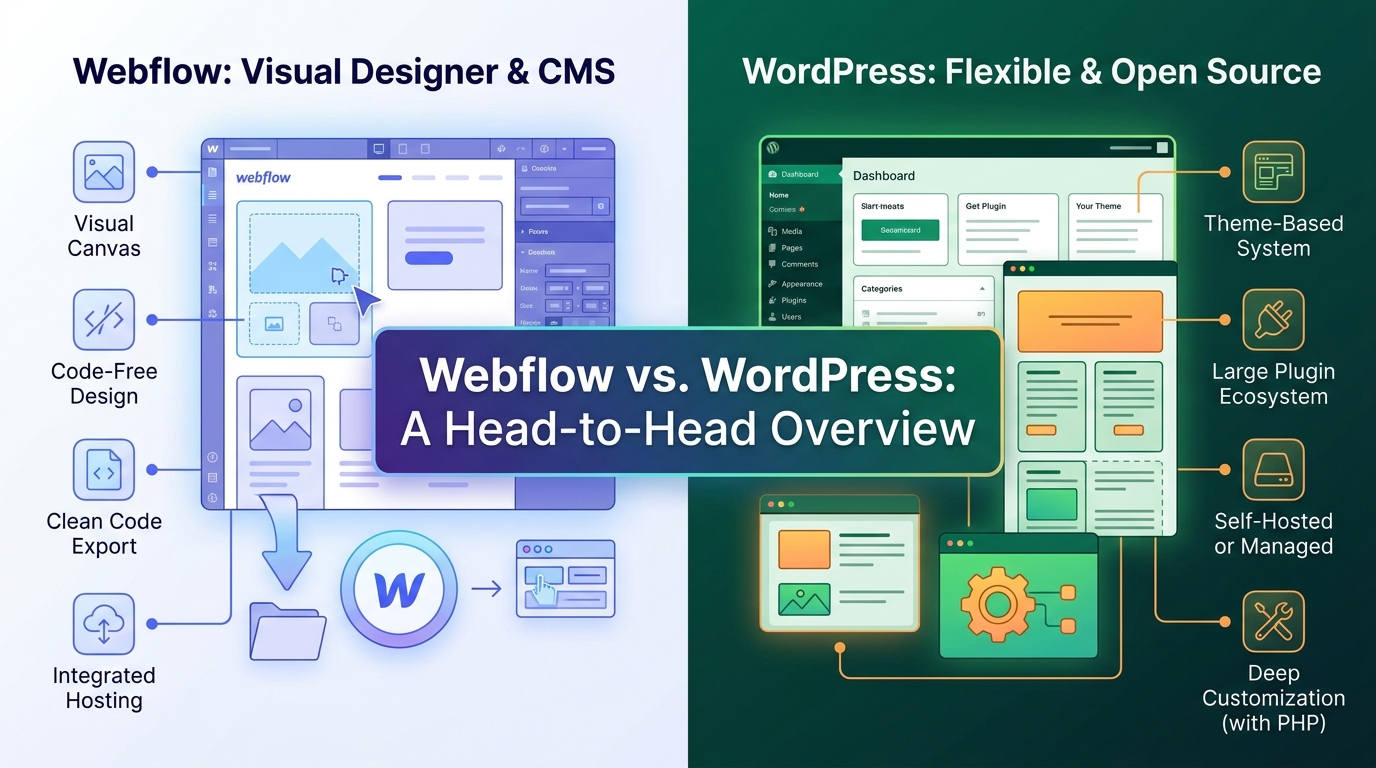
Webflow is a visual web design tool, CMS, and hosting platform all rolled into one. It lets designers and developers build professional websites visually — without writing code — while generating clean, production-ready HTML, CSS, and JavaScript behind the scenes.
Reference: Webflow Official Site
At a Glance: Webflow vs. WordPress Comparison Table
| Feature | Webflow | WordPress |
|---|---|---|
| Type | Hosted SaaS Platform | Self-Hosted CMS (Open Source) |
| Ease of Use | Moderate Learning Curve | Beginner to Advanced |
| Design Flexibility | Extremely High | High (with themes/page builders) |
| Coding Required | No (optional) | Sometimes |
| Hosting | Included | Self-arranged |
| Starting Price | Free (limited) | Free (hosting extra) |
| Plugins/Integrations | Limited | 59,000+ plugins |
| E-commerce | Yes (limited on lower plans) | Yes (WooCommerce) |
| SEO Capabilities | Strong built-in | Strong with plugins |
| Security | Managed by Webflow | Self-managed |
| Scalability | Good | Excellent |
| Best For | Designers, Agencies, Portfolios | Blogs, Business Sites, E-commerce |
Round 1: Ease of Use
Webflow
Webflow is NOT a drag-and-drop builder in the traditional sense. It’s more like Photoshop meets a web browser — incredibly powerful, but with a learning curve to match.
New users often feel overwhelmed at first. The interface introduces concepts like:
- Box model and CSS properties
- Flexbox and Grid layouts
- Interactions and animations
- CMS Collections
- Symbol components
However, once you get past the learning curve — which typically takes two to four weeks of consistent use — Webflow becomes an incredibly efficient tool. Many designers describe it as the most natural way to build websites once they understand it.
Learning Curve: ⭐⭐⭐⭐ (Steep but rewarding)
WordPress
WordPress has evolved significantly. With the Gutenberg block editor and page builders like Elementor, Beaver Builder, and Divi, non-technical users can build professional websites without touching code.
However, WordPress has its own complexity:
- Managing hosting, domains, and servers
- Installing and configuring plugins
- Keeping everything updated
- Troubleshooting plugin conflicts
For absolute beginners, the initial setup can be confusing. But once installed, the day-to-day content management is very straightforward.
Learning Curve: ⭐⭐⭐ (Moderate — easier content management, trickier backend setup)
🏆 Winner: Tie
Webflow wins for design workflows. WordPress wins for daily content management.
Round 2: Design Flexibility
Webflow
This is where Webflow truly shines. Webflow gives designers pixel-perfect control over every element on the page — margins, padding, typography, animations, interactions, and responsive breakpoints.
You can:
- Build completely custom layouts from scratch
- Create complex animations and scroll interactions without plugins
- Design custom hover states, transitions, and micro-interactions
- Control typography at a granular level
- Build responsive designs with custom breakpoints
There are no theme limitations. No fighting with pre-built templates. No overriding CSS you didn’t write. What you design is exactly what users see.
WordPress
WordPress offers impressive design flexibility — especially with modern page builders. But there’s an important distinction:
With classic themes + page builders like Elementor, you have a lot of control, but you’re always working within a framework someone else built. This sometimes means:
- Fighting with inherited CSS
- Limited control over certain design elements
- Inconsistent styling between theme and plugin components
- Performance overhead from page builder code
With Full Site Editing (FSE) and block themes, WordPress has dramatically improved design control. In 2026, this gap is narrowing significantly.
🏆 Winner: Webflow
For pure design control with no compromises, Webflow leads.
Round 3: Pricing
Webflow Pricing (2026)
Webflow operates on a subscription model:
Site Plans (for hosting websites):
| Plan | Monthly Price | Best For |
|---|---|---|
| Basic | $14/month | Simple sites, no CMS |
| CMS | $23/month | Blogs, content sites |
| Business | $39/month | High-traffic sites |
| Enterprise | Custom | Large organizations |
Workspace Plans (for designers/agencies managing multiple projects):
| Plan | Monthly Price |
|---|---|
| Starter | Free (2 projects) |
| Basic | $19/month |
| Expert | $49/month |
Note: E-commerce features require separate e-commerce plans starting at $29/month.
WordPress Pricing (2026)
WordPress itself is free and open source. But the real costs come from:
| Cost Component | Estimated Annual Cost |
|---|---|
| Domain Name | $10 — $20/year |
| Shared Hosting | $36 — $120/year |
| Managed Hosting (WP Engine, Kinsta) | $300 — $600/year |
| Premium Theme | $0 — $100 (one-time) |
| Premium Plugins | $0 — $500/year |
| SSL Certificate | Usually free |
Total estimated cost:
- Budget setup: $50 — $150/year
- Professional setup: $500 — $1,500/year
🏆 Winner: WordPress
WordPress is more cost-effective at every scale, especially for budget-conscious users.
Round 4: SEO Capabilities
Webflow SEO
Webflow has built-in SEO tools that are genuinely impressive:
- ✅ Clean, semantic HTML output
- ✅ Custom meta titles and descriptions per page
- ✅ Automatic sitemap generation
- ✅ 301 redirect management
- ✅ Open Graph and social meta tags
- ✅ Fast page speeds (excellent for Core Web Vitals)
- ✅ SSL included on all plans
- ✅ Custom canonical tags
- ✅ Schema markup (requires custom code)
The advantage? Everything is clean and well-structured from the start. No plugins needed for basic SEO.
The limitation? Advanced SEO features — like deep schema markup, SEO auditing, keyword tracking, and content analysis — require third-party tools or custom code.
WordPress SEO
WordPress’s SEO capabilities are unmatched when combined with plugins like Yoast SEO or Rank Math:
- ✅ Complete on-page SEO control
- ✅ Schema markup generation
- ✅ XML sitemap management
- ✅ Internal linking suggestions
- ✅ Content readability analysis
- ✅ Keyword optimization tools
- ✅ SEO audit features
- ✅ Redirect management
- ✅ WooCommerce SEO (for e-commerce)
WordPress also benefits from its massive content ecosystem — blogging tools, structured content management, and category/tag taxonomies that search engines love.
Reference: Yoast SEO Plugin
🏆 Winner: WordPress
With powerful SEO plugins, WordPress gives you deeper SEO control and analysis.
Round 5: Performance and Speed
Webflow Performance
Webflow’s hosting infrastructure is built on AWS and Fastly’s CDN — delivering fast load times globally out of the box. You get:
- Global CDN included on all paid plans
- Automatic image optimization
- Clean, minimal code output
- Automatic GZIP compression
- HTTP/2 support
Because Webflow generates static HTML for many pages, load times are naturally fast. Webflow sites consistently score well on Core Web Vitals without any additional optimization.
WordPress Performance
WordPress performance is more variable — it depends heavily on:
- Your hosting provider
- Your theme quality
- The number and quality of plugins
- Your caching configuration
- Your image optimization practices
A poorly configured WordPress site can be very slow. But a well-optimized WordPress site with quality hosting (like Kinsta or WP Engine), a performance-focused theme, and proper caching can match or beat Webflow.
Tools that help WordPress performance:
- WP Rocket — Premium caching plugin
- Cloudflare — CDN and performance optimization
- Imagify or ShortPixel — Image optimization
- LiteSpeed Cache — Server-level caching
🏆 Winner: Webflow
Webflow delivers great performance out of the box without configuration. WordPress requires more effort.
Round 6: Security
Webflow Security
Because Webflow is a managed platform, security is largely handled for you:
- ✅ SSL certificates included and auto-renewed
- ✅ Webflow manages server security
- ✅ No plugin vulnerabilities to worry about
- ✅ DDoS protection included
- ✅ Regular platform security updates
- ✅ Secure hosting infrastructure
The downside? You’re trusting Webflow entirely. If Webflow has a platform-level breach, all sites are affected. And you have less visibility into security configurations.
WordPress Security
WordPress security is your responsibility — which is both a strength and a weakness.
Common security risks include:
- Outdated plugins and themes
- Weak passwords
- Poor hosting security
- Brute force attacks
- Malware injections
But with proper security practices, WordPress can be extremely secure:
- ✅ Security plugins like Wordfence or Sucuri
- ✅ Two-factor authentication
- ✅ Regular backups
- ✅ Managed hosting with built-in security
- ✅ Regular updates
Reference: Wordfence Security Plugin
🏆 Winner: Webflow
Managed security means less risk for non-technical users.
Round 7: E-commerce
Webflow E-commerce
Webflow launched e-commerce features that allow you to build custom online stores with complete design control. You can:
- Create custom product pages
- Design unique checkout experiences
- Manage orders and inventory
- Accept payments via Stripe and PayPal
Limitations:
- Transaction fees on lower plans
- Limited payment gateway options compared to WooCommerce
- Fewer e-commerce extensions available
- Not ideal for large product catalogs
WordPress E-commerce (WooCommerce)
WooCommerce is the world’s most popular e-commerce platform, powering over 26% of all online stores. It offers:
- ✅ Unlimited products
- ✅ Hundreds of payment gateways
- ✅ Advanced inventory management
- ✅ Thousands of WooCommerce extensions
- ✅ Subscriptions and memberships
- ✅ Multi-currency support
- ✅ Advanced shipping options
- ✅ B2B e-commerce capabilities
Reference: WooCommerce Official Site
🏆 Winner: WordPress
WooCommerce is significantly more powerful and flexible for e-commerce.
Round 8: Scalability
Webflow Scalability
Webflow works well for small to medium-sized websites. However, there are limitations:
- CMS Collections are capped (10,000 items on Business plan)
- Hosting costs increase significantly with traffic
- Large e-commerce catalogs become difficult to manage
- Complex web applications aren’t Webflow’s strength
For most business websites, portfolios, and marketing sites — Webflow scales perfectly well. For large-scale content operations or complex applications, you’ll hit ceilings.
WordPress Scalability
WordPress is virtually unlimited in scalability. Some of the world’s largest websites run on WordPress:
- TechCrunch — Major tech publication
- The New York Times Blog Network
- Microsoft News Center
- BBC America
With proper hosting infrastructure, WordPress can handle millions of page views per month. The plugin ecosystem means you can add almost any functionality you need as you grow.
🏆 Winner: WordPress
WordPress scales from a simple blog to an enterprise-level platform.
Round 9: Content Management
Webflow CMS
Webflow’s CMS is elegant and developer-friendly. Key features:
- Collections — Like database tables for content types (blog posts, team members, products, etc.)
- Collection Fields — Custom fields for each content type
- Dynamic Lists — Display collection items anywhere on your site
- Editor Mode — Non-technical users can edit content directly on the page
It’s a clean, visual content management experience. But it has limitations:
- No native multi-author editorial workflow
- Limited bulk editing capabilities
- No revision history on lower plans
- Less flexible taxonomy system
WordPress CMS
WordPress was built as a blogging platform and evolved into a full CMS. Its content management capabilities are extensive:
- ✅ Posts, pages, and custom post types
- ✅ Categories, tags, and custom taxonomies
- ✅ Multi-author support with role management
- ✅ Revision history on all content
- ✅ Scheduled publishing
- ✅ Bulk editing
- ✅ Advanced Custom Fields (ACF) for custom content types
- ✅ REST API for headless setups
🏆 Winner: WordPress
Deeper content management capabilities for content-heavy sites.
Round 10: Community and Support
Webflow Community
Webflow has built an impressive community:
- Webflow University — Extensive free video tutorials
- Webflow Forum — Active community support
- Webflow Showcase — Inspiration and cloneable templates
- Official support — Email and chat support on paid plans
The community, while passionate and growing, is smaller than WordPress’s. Finding specialized Webflow developers or designers can be more difficult — and more expensive.
WordPress Community
WordPress has one of the largest open-source communities in the world:
- Thousands of developers available worldwide
- WordCamp conferences held globally every year
- WordPress.org support forums with millions of answered questions
- Thousands of tutorials across YouTube, blogs, and courses
- Massive freelancer marketplace on platforms like Upwork and Fiverr
If you ever have a problem with WordPress, someone has almost certainly encountered it before — and solved it.
Reference: WordPress.org Support Forums
🏆 Winner: WordPress
Unmatched community size, resources, and available talent.
Final Scorecard
| Category | Webflow | WordPress |
|---|---|---|
| Ease of Use | 🤝 Tie | 🤝 Tie |
| Design Flexibility | 🏆 Winner | — |
| Pricing | — | 🏆 Winner |
| SEO | — | 🏆 Winner |
| Performance | 🏆 Winner | — |
| Security | 🏆 Winner | — |
| E-commerce | — | 🏆 Winner |
| Scalability | — | 🏆 Winner |
| Content Management | — | 🏆 Winner |
| Community & Support | — | 🏆 Winner |
| Total | 3 Wins | 7 Wins |
Who Should Choose Webflow?
Webflow is the right choice if you are:
✅ A Freelance Designer or Creative Agency
Webflow gives designers unprecedented creative control. If your competitive advantage is beautiful, unique design — Webflow is your playground.
✅ Building a Portfolio or Personal Brand Site
For visually stunning portfolio sites, Webflow is hard to beat. The animation and interaction capabilities let you create truly memorable experiences.
✅ A Small Business Needing a Marketing Website
If you need a polished, professional marketing site with a small number of pages — Webflow’s simplicity and speed is a genuine advantage.
✅ Someone Who Wants Managed Everything
If you don’t want to think about hosting, security, updates, or maintenance — Webflow handles it all for you.
✅ Building Landing Pages and Campaign Sites
Webflow’s design speed and clean output make it excellent for marketing campaigns and landing pages.
Who Should Choose WordPress?
WordPress is the right choice if you are:
✅ Running a Blog or Content-Heavy Website
WordPress was built for content. Its publishing tools, editorial workflow, and SEO capabilities make it the gold standard for bloggers and publishers.
✅ Building an E-commerce Store
WooCommerce is simply more powerful than Webflow’s e-commerce offering — especially for large catalogs or complex store setups.
✅ Building on a Budget
WordPress’s open-source nature and the competitive hosting market make it far more affordable at scale.
✅ A Developer Who Wants Full Control
WordPress’s open-source codebase, REST API, and plugin architecture give developers complete freedom to build anything.
✅ Running an Enterprise Website
For large organizations with complex content needs, WordPress’s scalability and ecosystem are unmatched.
✅ Someone Who Needs Specific Functionality
With 59,000+ plugins, if you need a specific feature — there’s almost certainly a WordPress solution for it.
The Hybrid Approach: Using Both Platforms
Here’s something many people don’t consider — you don’t always have to choose one or the other.
Some businesses use:
- Webflow for their main marketing website (beautiful design, fast performance)
- WordPress for their blog or knowledge base (powerful content management)
Or:
- WordPress as a headless CMS (content management backend)
- Webflow as the frontend (design and presentation layer)
This hybrid approach is increasingly popular in 2026 as businesses look to combine the strengths of both platforms.
Migration Considerations
Moving from WordPress to Webflow
If you’re considering switching from WordPress to Webflow, be aware:
- Content migration requires manual work or third-party tools
- SEO redirects must be carefully managed (301 redirects for all old URLs)
- Plugin functionality must be replicated natively or with Webflow integrations
- Learning curve — Your team needs Webflow training
Moving from Webflow to WordPress
If you’re moving the other way:
- Content export from Webflow CMS is available via CSV
- Design replication requires rebuilding in WordPress theme/page builder
- More hosting setup involved
- Plugin installation needed to replicate Webflow’s built-in features
Key Questions to Ask Before You Decide
Before making your final decision, ask yourself:
1. What is my primary goal?
Beautiful design → Webflow | Content management → WordPress
2. What is my technical skill level?
Non-technical → Both work (Webflow for design, WordPress for content) | Developer → WordPress gives more freedom
3. What is my budget?
Tight budget → WordPress | Willing to pay for simplicity → Webflow
4. Do I need e-commerce?
Simple store → Webflow works | Complex store → WordPress + WooCommerce
5. How important is SEO?
Basic SEO → Both work | Advanced SEO → WordPress
6. How much content will I publish?
Few pages → Webflow | Lots of content → WordPress
7. Do I need specific integrations?
Check Webflow’s integration list vs. WordPress’s 59,000+ plugins
8. Who will maintain the site?
Non-technical team → Webflow (managed) | Technical team → Either works
Expert Predictions for 2026
Webflow’s Trajectory
Webflow continues to grow rapidly, particularly among:
- Design agencies and studios
- Marketing teams at mid-sized companies
- No-code and low-code advocates
The platform is investing heavily in:
- Webflow Logic — Visual workflow automation
- Advanced CMS — Larger collection limits and better editorial tools
- Improved e-commerce — More payment options and store capabilities
WordPress’s Trajectory
WordPress continues to dominate through:
- Full Site Editing maturity — Making block-based design more competitive with Webflow
- Performance improvements — Catching up to Webflow’s out-of-the-box speed
- AI integration — Native AI tools being developed for the block editor
- Continued market leadership — The ecosystem advantage only grows with time
The reality is: both platforms are getting better. The gap in design capabilities (Webflow’s advantage) is narrowing as WordPress FSE matures. The gap in ecosystem and scalability (WordPress’s advantage) is unlikely to close anytime soon.
Conclusion: Making Your Decision
After everything we’ve covered, here’s the simplest way to summarize:
Choose Webflow if design is your top priority and you want a managed, hassle-free platform.
Choose WordPress if you need maximum flexibility, scalability, and the world’s most powerful ecosystem behind you.
Neither platform is objectively better. The best platform is the one that fits your specific needs, your team’s skills, and your long-term goals.
If you’re still unsure, here’s our recommendation:
- Start with WordPress if you’re building any kind of content-driven or e-commerce site
- Start with Webflow if you’re building a design-focused marketing or portfolio site
- Try both — Webflow has a free plan, and WordPress is free to install — before committing to either
Whatever you choose, the most important thing is to start building. The best website platform is the one you actually use to create something great.
Quick Reference Links
| Resource | Link |
|---|---|
| WordPress Official Site | wordpress.org |
| Webflow Official Site | webflow.com |
| Webflow University | university.webflow.com |
| WordPress Theme Handbook | developer.wordpress.org/themes |
| WooCommerce | woocommerce.com |
| Google Web Vitals | web.dev/vitals |
Found this comparison helpful? Share it with someone who’s trying to make the same decision. And if you have questions about either platform, drop them in the comments — we’re happy to help.